Smart Thermostat: How to Save Energy Without the Hassle
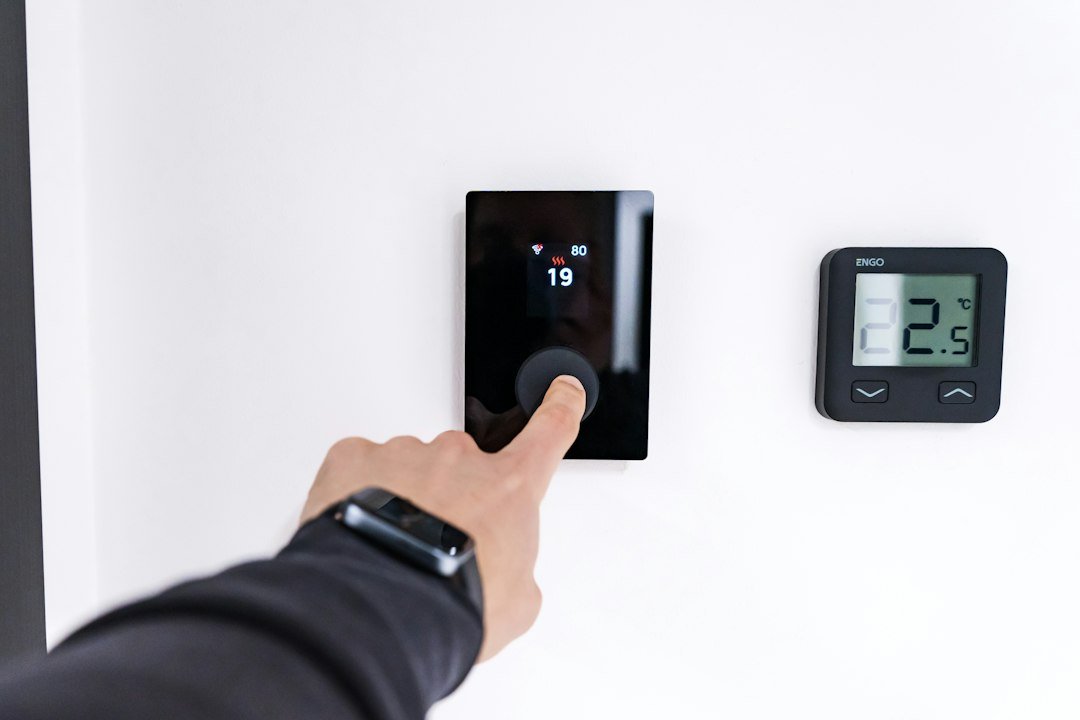
A smart thermostat is a digital controller that manages your home’s heating and cooling more efficiently than a traditional dial. It uses sensors and algorithms to learn when you are home, what temperature you prefer, and how to adjust the system to reduce energy waste. If you are looking to lower your utility bills or improve your home’s automation, this device is the starting point.
Key Takeaways
- Smart thermostats learn your schedule to reduce heating and cooling when you are away.
- Check if your HVAC system has a C-wire before buying, as some models require it.
- Geofencing and remote access allow you to adjust temperatures from your phone.
- Energy reports help you track savings over time and identify inefficient usage.
How a Smart Thermostat Actually Works
Unlike a manual dial, a smart thermostat connects to your Wi-Fi network. This connection allows you to control the device from an app on your phone or tablet. More importantly, it enables the device to gather data. The thermostat monitors when you change the temperature, when you leave the house, and how long it takes to reach your desired comfort level.
Over time, the device builds a schedule. For example, if you always go to bed at 11 PM, the thermostat learns to lower the temperature at that time. If you arrive home at 5 PM, it can start pre-heating or pre-cooling so the house is comfortable when you walk in. This automation is the primary driver of energy savings. You are not paying to heat an empty house.

What to Check Before You Buy a Smart Thermostat
Not all smart thermostats work with every HVAC system. The most common compatibility issue is the C-wire. This is a constant power wire that keeps the thermostat running. Many older homes do not have this wire. If your system lacks a C-wire, you may need a specific model that supports power extenders or battery backup, or you may need to hire an electrician to install one.
Check your current thermostat before purchasing. Remove the faceplate and look at the wires. If you see a wire labeled ‘C’ or ‘Common,’ you likely have the necessary connection. If you are unsure, take a photo of the wiring and consult the manufacturer’s compatibility checker. This step saves you from buying a device that will not power on correctly.
The Difference Between Basic and Learning Models
There are two main types of smart thermostats: basic smart models and learning models. Basic models allow you to set a schedule and control the device via an app. They do not learn your habits. You must manually update the schedule if your routine changes. These are often cheaper and easier to set up.
Learning models, on the other hand, use AI to observe your behavior. They adjust the schedule automatically based on your actions. If you wake up earlier on weekends, the thermostat adapts. This feature requires a learning period, usually a few weeks, before it optimizes your energy use. If you have a consistent routine, a basic model may be sufficient. If your schedule varies, a learning model provides better convenience and potential savings.
Setting Up Your Smart Thermostat for Maximum Savings
Once installed, the setup process usually takes 15 to 30 minutes. Start by connecting the device to your home Wi-Fi. Download the manufacturer’s app and create an account. The app will guide you through calibrating the device. This involves setting your current temperature preferences for different times of day.
To maximize savings, enable energy-saving features. Most thermostats have an ‘Eco’ or ‘Away’ mode. This mode raises the heating limit in summer and lowers it in winter when you are not home. You can also use geofencing. This feature uses your phone’s location to detect when you leave the house and automatically switches to Away mode. When you return, it switches back to Comfort mode. This ensures you are never heating an empty space.

Common Mistakes That Reduce Energy Savings
One common mistake is setting the temperature too high in winter or too low in summer. You do not need to set the thermostat to extreme temperatures to save money. A difference of 7 to 10 degrees from your comfort zone is usually enough to reduce energy usage without making the house uncomfortable.
Another mistake is ignoring the energy reports. Most smart thermostat apps provide a summary of your energy usage. Check this report monthly. If your bills are not dropping, look for patterns. Are you leaving the house in Comfort mode? Is the system running constantly? Identifying these issues allows you to adjust your settings or check for HVAC maintenance needs.
How Smart Thermostats Integrate with Other Home Tech
A smart thermostat is part of a larger ecosystem. It can integrate with other smart home devices. For example, if you use smart lights, the thermostat can trigger the lights to turn on when it starts pre-heating your home. It can also work with weather forecasts to adjust the schedule. If a heat wave is coming, it may cool the house earlier to prevent overheating.
For those interested in broader home automation, understanding how these devices communicate is useful. You can read more about how digital devices and networks work together in our guide on Technology Connections. This integration adds convenience, but the core benefit remains energy efficiency.
What to Do Next
Start by checking your current thermostat wiring. If you have a C-wire, you are ready to shop. Compare models based on your routine. If you have a consistent schedule, look for a basic smart model. If your schedule changes, consider a learning model. Once installed, spend a week monitoring the energy report. Adjust your preferences based on the data. This approach ensures you get the most out of your investment.
How to Fine‑Tune Temperature Schedules for Real‑World Routines
Most people start with the factory preset schedule and assume it will automatically save energy. In practice, you need to align the thermostat’s program with the actual times you’re home, asleep, or away. The first step is to map out a typical weekday in a notebook or a notes app.
Step‑by‑step schedule audit
- Identify wake‑up and bedtime windows. Even a 30‑minute variance matters because heating or cooling kicks in early.
- Mark work‑day departure and return times. If you leave at 8:15 am and get back at 5:45 pm, set the “away” period to start a few minutes after you leave and end a few minutes before you arrive.
- Note weekend variations. Many households are home later on Saturdays and earlier on Sundays; create separate weekend profiles if your thermostat supports them.
Once you have those blocks, go into the thermostat’s schedule editor and adjust the temperature set‑points for each block. A common rule of thumb is to keep the thermostat at least 7 °F (4 °C) cooler in winter or warmer in summer when you’re away. If you have a heat‑pump system, a smaller delta (3–4 °F) often works better because the unit cycles more efficiently.
Testing the new schedule
After you save the changes, let the system run for a full day. Watch the temperature display and the energy‑use indicator (if your model has one). If the indoor temperature drifts too far from comfort, tighten the set‑point by a degree and observe for another 24 hours. Small tweaks usually converge quickly.
What people get wrong
- Setting the “away” temperature too extreme. The HVAC will work harder to bring the house back to comfort, negating the savings.
- Leaving the schedule unchanged on holidays. A week‑long vacation needs a different “away” profile, otherwise the thermostat may run at default comfort levels.
- Relying on the “auto‑away” sensor without verifying its accuracy. Pets, kids, or a home office can keep the sensor from detecting true vacancy.
When to Use Geofencing and When It Might Backfire
Geofencing uses your phone’s GPS to tell the thermostat when you’re approaching or leaving home. It sounds effortless, but the feature works best under specific conditions.
Ideal scenarios for geofencing
- You have a reliable smartphone with location services turned on.
- Your daily commute is consistent (within a 5‑minute variance).
- Your home Wi‑Fi signal is strong enough that the thermostat can confirm you’re on the property.
In these cases, the thermostat can start heating or cooling just before you walk in the door, eliminating the need to manually adjust the schedule.
When geofencing can waste energy
- Frequent short trips. If you pop out for coffee and return within 10 minutes, the thermostat may think you’ve left and swing to an “away” set‑point, then quickly revert, causing unnecessary cycling.
- Weak GPS signal. Urban canyons or dense foliage can cause false “away” triggers, leading to temperature swings.
- Multiple occupants with different phones. The thermostat typically follows the first device it detects; if a roommate’s phone stays at home while you’re out, the system may think you’re still present and keep comfort mode on.
Practical checklist for safe geofencing
- Enable location services for the thermostat app and set the accuracy to “high”.
- Test the feature by leaving the house for 30 minutes and watching the thermostat’s status on the app.
- If you notice rapid toggling, disable geofencing and rely on a manually programmed schedule.
- Consider a hybrid approach: keep a base schedule for weekdays and enable geofencing only on days you have a predictable commute.
Evaluating Energy‑Saving Claims: A Simple Cost‑Benefit Checklist
Manufacturers often tout “up to 23 % energy savings”. Those numbers are based on ideal conditions that rarely match a lived‑in home. Use the checklist below to decide whether a particular model is worth the investment.
Checklist items
- Installation cost. Some units require new wiring or a compatible HVAC control board. Add $100–$300 for professional installation if you’re not comfortable doing it yourself.
- Compatibility with existing system. A thermostat that only supports heat‑only or cool‑only will leave one side of your system uncontrolled, reducing overall savings.
- Learning algorithm transparency. Learning models adjust based on occupancy patterns, but they often need a 2‑week “training” period. Ask whether the device shows the algorithm’s decisions in the app; opaque systems can make changes you can’t verify.
- Utility rebates. Many local utilities offer $30–$100 rebates for installing a certified smart thermostat. Check your provider’s website before purchasing.
- Data privacy policy. If the device streams usage data to third parties, consider whether that trade‑off matters to you.
Applying the checklist
Say you’re eyeing a $250 learning thermostat that requires a $150 professional install. Your utility offers a $50 rebate. The estimated annual savings, based on your utility’s average rate, is roughly $70. Simple math: $250 + $150 – $50 = $350 upfront, $70 saved per year, so payback takes about five years. If you can install it yourself and avoid the $150 labor, the payback drops to two years, making the purchase more attractive.
Edge cases to watch
- Homes with multiple zones often need a separate thermostat per zone; a single‑unit claim may overstate savings.
- Older homes with poor insulation may see larger temperature swings, meaning the thermostat works harder and the “percentage” savings shrink.
- Renters who cannot modify wiring should stick to plug‑in models; otherwise, the upfront cost may never be recouped.
Use this checklist before you click “add to cart”. It turns marketing hype into a concrete decision framework.
Related articles
- Oronsuuts: AI IoT Smart Housing Revolution 2026
- Bumpdots.com Review 2026: Smart Insights for Tech, Finance & AI in a Noisy Digital World