PicLumen AI Review 2026: Features, Pricing, Use Cases & Best Alternatives
Imagine staring at a blank screen, struggling to create the perfect visual for your project. Whether you need a striking social media image, a custom product mockup, or a breathtaking piece of digital art, traditional design tools demand hours of skill and expensive software. Many creators hit the same wall: high costs, steep learning curves, and slow results that kill creativity.
PicLumen AI changes that completely. This powerful, all-in-one platform lets anyone turn simple text descriptions into stunning, high-quality images and even videos in seconds. No design experience required.
In this comprehensive guide, you will discover exactly how PicLumen AI works, its standout features, practical ways to use it, and why it stands out as one of the best free AI image generators available today. Get ready to unlock your creative potential without breaking the bank.
What Is PicLumen AI?
PicLumen AI is a web-based AI platform designed for effortless image and video generation. It serves as a creative hub where users describe ideas in plain words and watch the AI bring them to life instantly.
The platform combines advanced text-to-image technology with image-to-image transformation, editing tools, and a growing community for sharing and inspiration. Launched as an accessible alternative to premium tools, PicLumen AI emphasizes speed, quality, and zero barriers for beginners.
You access it directly through your browser at piclumen.com. No heavy downloads or complex setups needed. Many users call it a strong free Midjourney alternative because it delivers professional results without the subscription pressure of many competitors.
At its core, PicLumen AI uses sophisticated machine learning models trained on vast datasets. These models understand natural language prompts and generate visuals that match your vision with impressive detail and realism.
Whether you are a marketer needing quick visuals, a content creator building thumbnails, or a hobbyist exploring art, PicLumen AI makes the process fun and productive.
Key Features of PicLumen AI
PicLumen AI packs a surprising amount of power into a simple interface. Here are the main features that make it shine:
- Text-to-Image Generation: Type a description and generate high-resolution images in seconds.
- Image-to-Image Transformation: Upload a photo and modify it with new styles, moods, or elements.
- Multiple AI Models: Choose from specialized models like Nano Banana series, Seedream versions, FLUX.1, Pony Diffusion, and integrations inspired by Midjourney, GPT Image, and Grok Imagine.
- Editing Tools: Includes AI Replace (inpainting), AI Image Extender (outpainting), AI Upscaler, AI Colorizer, and Background Remover.
- Specialized Generators: Create characters, portraits, poses, cartoons, tattoos, 3D avatars, and more.
- Video Tools: Expand into text-to-video, image-to-video, script-to-video, GIFs, and niche makers like birthday or promotional videos.
- Community Hub: Browse, like, and get inspired by millions of user-generated images.
These features work together seamlessly. For example, you can generate a base image with text, refine it using image-to-image, extend the canvas, upscale for print quality, and remove the background for easy compositing.
The platform supports various aspect ratios and styles, from photorealistic to anime, line art, and surreal art. Advanced users appreciate the fine control over parameters, while beginners love the one-click defaults that still produce excellent results.
How Does PicLumen AI Work?
Understanding the technology behind PicLumen AI helps you use it more effectively. The platform relies on diffusion models and transformer architectures. These AI systems start with random noise and gradually refine it into a coherent image based on your prompt and any reference images.
When you enter a text prompt, the AI analyzes keywords, composition, lighting, style, and mood. It then generates multiple variations so you can pick the best one. Image-to-image mode adds another layer: the AI references your uploaded photo while applying your textual instructions.
Generation happens quickly in “fast” mode using allocated Lumens (the platform’s credit system). For unlimited use, relaxed mode queues jobs and processes them without daily limits on slower generations.
PicLumen AI constantly updates its models. Recent additions include stronger versions of Nano Banana and Seedream, plus integrations with cutting-edge systems. This keeps output quality competitive with paid tools.
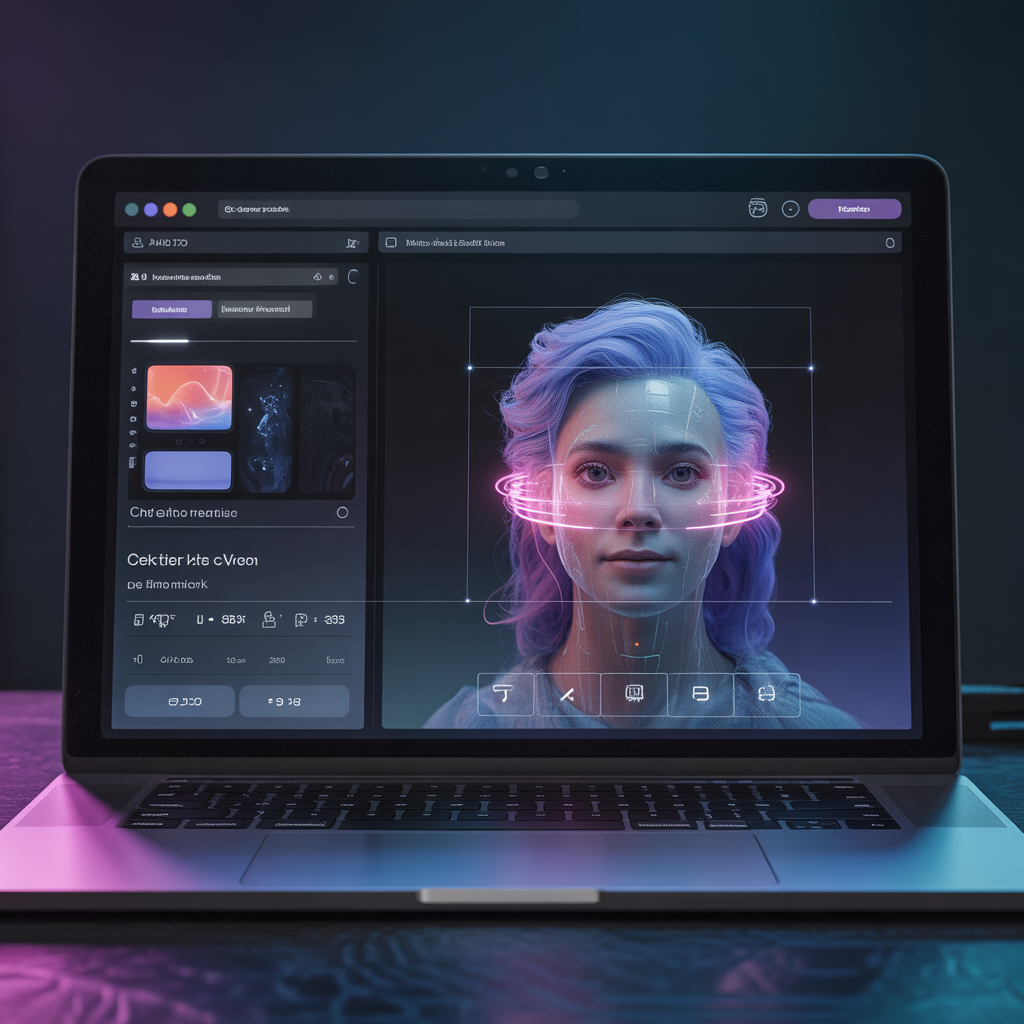
The user interface stays clean and intuitive. A large prompt box sits front and center, with options for model selection, aspect ratio, and style on the side. Results appear in a gallery where you can download, edit further, or share directly.
Step-by-Step Guide: How to Use PicLumen AI for Text-to-Image Generation
Getting started with PicLumen AI takes less than a minute. Follow these steps for reliable, high-quality results:
- Visit the Website: Go to piclumen.com and click on the text-to-image tool or main generator page. No registration is required for basic trials, though signing up unlocks history and more features.
- Enter Your Prompt: Be descriptive. Instead of “cat”, try “a fluffy orange tabby cat sitting on a windowsill at golden hour, realistic fur details, warm sunlight, cinematic lighting, 8k resolution”.
- Choose a Model: Start with a default or experiment. Nano Banana works great for general creativity. Seedream models excel at detailed scenes. FLUX.1 handles complex prompts accurately.
- Set Parameters: Select aspect ratio (square for social media, landscape for banners). Adjust style if available—photorealistic, anime, oil painting, etc.
- Generate: Hit the generate button. In fast mode, results appear in seconds. Review the variations.
- Refine and Download: Like an image? Upscale it for better quality. Use AI Replace to tweak details. Download in high resolution, often without watermarks on free generations.
Pro tip: Use negative prompts to avoid unwanted elements. For example, add “blurry, deformed, low quality” in the negative field to improve output.
Many users generate 4–8 variations per prompt and pick the strongest one for further editing. This workflow saves hours compared to manual design.
Advanced Tips for Better Results with PicLumen AI
To move beyond basic generations, apply these practical techniques I have tested across dozens of projects:
- Prompt Engineering: Structure prompts with subject, details, style, lighting, and composition. Weight important elements using parentheses or specific keywords.
- Reference Images: In image-to-image mode, set a strength slider. Lower values keep more of the original; higher values allow bigger creative changes.
- Consistency for Characters: Generate a base character, then use image-to-image repeatedly with the same seed or reference to create consistent poses and angles.
- Composition Control: Specify camera angles like “wide angle shot from below” or “close-up portrait with shallow depth of field”.
- Style Blending: Combine styles, such as “cyberpunk city in the style of Studio Ghibli”.
Real-life example: A small business owner needed product photos for an online store. Using PicLumen AI, they uploaded plain product shots and transformed them into lifestyle scenes with models and beautiful backgrounds. The entire process took under 10 minutes per image, replacing a costly photoshoot.
Another tip: Experiment during off-peak hours for faster queue times in relaxed mode. Save successful prompts in a personal note file for quick reuse.
PicLumen AI Image Editing Tools in Detail
PicLumen AI goes far beyond simple generation. Its editing suite turns good images into great ones.
AI Replace (Inpainting): Brush over a section and describe what to add or change. Fix hands, add objects, or alter clothing without starting over.
AI Image Extender (Outpainting): Expand the canvas in any direction while maintaining style and coherence. Perfect for turning square images into panoramic wallpapers.
AI Upscaler: Increase resolution while preserving or enhancing details. Useful for print or large displays.
Background Remover: Instantly isolate subjects for clean composites or transparent PNGs.
AI Colorizer: Bring black-and-white photos to life with realistic colors.
These tools integrate directly into the workflow. You generate, edit, extend, and upscale—all in one browser tab. This all-in-one approach reduces friction and keeps creativity flowing.
Video Generation Capabilities with PicLumen AI
While many know PicLumen AI for images, its video tools make it a true all-in-one platform.
You can create text-to-video clips, animate still images, turn scripts into short films, or generate GIFs and memes. Specialized makers handle birthday videos, promotional content, TikTok shorts, and even celebrity-style animations.
Models like Kling, Hailuo, Seedance, and Veo power the video side. Motion control options let you guide camera movements and object actions for more professional results.
For creators, this means one platform handles both static visuals and dynamic content. A blogger can generate a thumbnail image and then animate it into a short video teaser.
Pricing Plans: Is PicLumen AI Really Free?
PicLumen AI stands out for its generous free tier. The Basic plan gives you 10 fast Lumens daily plus unlimited relaxed (slower) generations. This alone suffices for casual users and light projects.
- Basic (Free): 10 daily fast generations, relaxed mode unlimited, 30-day history.
- Standard ($10/month): 1,800 monthly Lumens, faster processing, additional features.
- Pro ($20/month): 4,800 monthly Lumens, priority access, advanced editing tools unlocked.
Lumens represent credits for fast generations. Relaxed mode removes daily limits but may take longer during busy times.
Many reviewers praise the free tier as truly usable, unlike competitors that throttle heavily. Commercial use is generally allowed, with outputs often carrying flexible licenses (check terms for specifics, as some reference MIT-style permissions in discussions).
If you generate frequently for business, the paid plans offer excellent value compared to tools charging per image or requiring higher subscriptions.
Pros and Cons of PicLumen AI
Pros:
- Extremely accessible with a strong free tier.
- Fast generation speeds in fast mode.
- Diverse models covering realistic, artistic, and anime styles.
- Comprehensive editing tools in one place.
- Growing community for inspiration.
- No watermarks on most downloads.
- Supports commercial projects for many users.
Cons:
- Fast generations limited daily on free plan.
- Relaxed mode can have queue waits during peak hours.
- Occasional inconsistencies in complex prompts (common to all AI generators).
- Advanced video features may require paid Lumens for best speed.
- Interface updates sometimes shift layouts, requiring brief adjustment.
Overall, the pros far outweigh the cons for most users. The platform delivers professional quality at minimal or zero cost.
Real-Life Examples and Mini Case Study
Let me share a mini case from a freelance graphic designer I know (adapted from common user stories). Sarah needed 20 unique social media graphics for a client campaign promoting eco-friendly products. Traditional stock photos felt generic, and hiring an illustrator exceeded the budget.
She turned to PicLumen AI. Using detailed prompts like “minimalist flat lay of reusable bamboo straws on wooden table with soft natural light, green tones, clean composition, product photography style”, she generated base images in minutes.
Next, she used image-to-image to add consistent branding elements and varied backgrounds. AI Extender created horizontal versions for banners. Background remover helped composite elements cleanly.
Total time: About 90 minutes for all 20 assets, including refinements. The client loved the cohesive, custom look. Cost: Zero on the free tier.
This example shows how PicLumen AI empowers small creators and businesses to produce high-end visuals quickly.
Another common use: Hobbyists creating D&D character portraits or custom book covers. Consistent character generation via repeated image-to-image references helps maintain visual continuity across a series.
Comparison Table: PicLumen AI vs Popular Alternatives
Here is a straightforward comparison to help you decide:
| Feature | PicLumen AI | Midjourney | Leonardo.AI | DALL·E (via ChatGPT) |
|---|---|---|---|---|
| Free Tier | Strong (10 fast + unlimited relaxed) | Limited trials | Generous but limited | Limited via subscription |
| Speed | Very fast in paid/fast mode | Fast on Discord | Fast | Good |
| Editing Tools | Built-in (replace, extend, upscale) | Basic via remix | Strong | Limited |
| Models/Styles | Many (Nano Banana, Seedream, FLUX, etc.) | Excellent artistic | Highly customizable | Strong but fewer options |
| Video Generation | Yes, extensive | No | Limited | No |
| Community | Growing hub | Large Discord | Active | N/A |
| Best For | All-in-one free/power users | Artistic quality | Detailed control | Quick ideas |
PicLumen AI often wins for users wanting maximum value without ongoing high costs. It combines strengths of several tools into one accessible platform.
People Also Ask
Is PicLumen AI completely free? Yes, the basic plan is free with daily fast generations and unlimited relaxed mode. Paid upgrades unlock more speed and features, but many users thrive on the free tier alone.
Can I use PicLumen AI images for commercial purposes? Generally yes. Generated images often allow commercial use, but always review the latest terms of service. Some models and outputs carry flexible licensing similar to open permissions discussed in user communities.
How does PicLumen AI compare to Midjourney? PicLumen AI offers a more accessible web interface and stronger free tier. Midjourney excels in certain artistic styles via Discord, but PicLumen provides built-in editing tools and video features that Midjourney lacks.
What AI models does PicLumen AI use? It features proprietary models like Nano Banana series and Seedream, plus integrations with FLUX.1, Pony Diffusion, and inspirations from Midjourney, GPT Image, and others. Users can switch models easily for different results.
Does PicLumen AI have a mobile app? Yes, an Android app is available on Google Play, letting you create on the go. Web access works well on mobile browsers too.
Detailed FAQ Section
How long does it take to generate an image with PicLumen AI? Fast mode usually delivers results in 5–15 seconds. Relaxed mode may take 30 seconds to a few minutes depending on queue length and complexity.
Do I need to create an account to use PicLumen AI? Basic generation works without an account on many entry points, but signing up saves your history, unlocks more features, and supports consistent character creation.
Can PicLumen AI generate realistic human faces and portraits? Yes, with strong results using realistic models. For best faces, use detailed prompts and reference images. Some users combine multiple generations for perfect consistency.
Is there a limit on image resolution? You can generate up to high resolutions and then use the built-in upscaler for even larger, detailed outputs suitable for print or large digital displays.
What if I don’t like the generated images? Regenerate with slight prompt tweaks or use editing tools to refine. The platform generates multiple variations per job, increasing your chances of getting a winner quickly.
Does PicLumen AI support NSFW content? Policies vary; many AI platforms have restrictions. Check current guidelines before generating sensitive material, as enforcement can change.
How secure is my data on PicLumen AI? The platform follows standard privacy practices. Review the privacy policy for details on data handling and image storage.
Why PicLumen AI Stands Out in 2026
In a crowded AI tools market, PicLumen AI succeeds by focusing on accessibility and versatility. It removes financial and technical barriers that stop many creators from experimenting.
The combination of powerful image generation, practical editing tools, and expanding video capabilities creates a complete creative workspace. Regular updates keep it competitive with newer models from big tech.
Users consistently praise the vibrant, detailed outputs and the joy of instant creation. For students, marketers, YouTubers, and artists, it has become a daily go-to tool.
Conclusion
PicLumen AI delivers on its promise: turning imagination into high-quality visuals quickly and affordably. From simple text prompts to refined, professional assets, the platform covers the full creative journey.
You have learned its core features, step-by-step usage, advanced tips, pricing reality, and real-world applications. Whether you need one image or an entire campaign’s worth of content, PicLumen AI equips you to succeed without frustration or high costs.
Ready to create? Head over to piclumen.com and try your first prompt today. Start simple, experiment boldly, and watch your ideas come alive. Your next viral image, stunning artwork, or professional visual is just a few words away.
What will you create first with PicLumen AI? The possibilities are endless—go explore them now.



1 comment