Best Free CRM for Small Business in 2026 (Actually Free, Actually Useful)
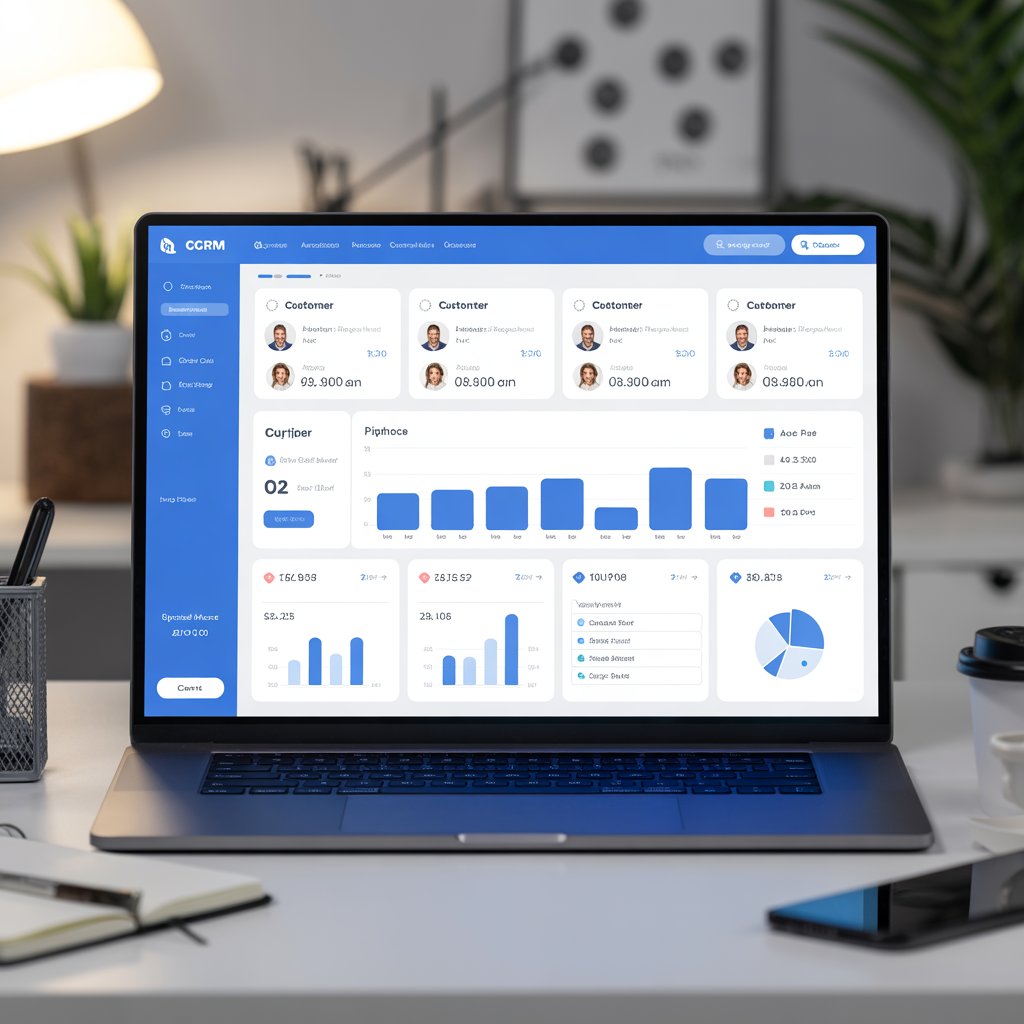
Let me save you some time upfront: most “free CRM” lists you’ll find online are written by people who get paid when you upgrade. The free plan gets one paragraph of praise and the rest of the article is quietly nudging you toward a $50/month subscription.
This one’s different. I’m going to tell you which Best Free CRM for Small Business are genuinely useful at the free tier — not just technically free until you try to do anything meaningful with them.
If you’re a small business owner, freelancer, or early-stage startup trying to manage customer relationships without adding another monthly bill, this list is for you.
Why Small Businesses Actually Need a CRM
Here’s the honest version: you probably don’t need a CRM on day one. When you have five clients, a spreadsheet works fine. When you have twenty, it starts getting messy. When you have fifty, things start falling through the cracks — follow-ups that never happen, deals that die because nobody remembered to check in, customer history that lives in someone’s inbox instead of somewhere the whole team can see.
That’s when a CRM earns its place. Not because it’s sophisticated software, but because it’s a single place where your customer relationships live — every conversation, every deal, every note, every next step.
The good news is you don’t need to pay for that. Several genuinely capable CRM tools offer free plans that cover everything a small business needs, at least until you’re large enough that the paid features make financial sense.
What to Look for in a Free CRM
Before getting into specific tools, a quick checklist of what actually matters:
Contact limit — some free plans cap you at 250 contacts, others at 1,000 or more. Know roughly how many contacts you’ll have in the next twelve months before choosing.
Deal pipeline — can you track where each potential customer is in your sales process? This is the core function of a CRM. If the free plan doesn’t include it, the tool isn’t really useful as a CRM.
Email integration — does it connect to Gmail or Outlook so your communication history syncs automatically? Manual data entry is what kills CRM adoption in small teams.
Mobile app — if you’re in meetings or on the road, you need to update the CRM from your phone. Desktop-only tools get abandoned fast.
Learning curve — the best CRM is the one your team will actually use. If setup takes two weeks and training takes another, most small businesses never get there.
With those in mind — here’s what’s worth your time.
1. HubSpot CRM — The Best Free CRM, Full Stop
Best for: Small businesses of any type, especially those doing inbound marketing
HubSpot’s free CRM has been the benchmark for free customer relationship management tools for years, and it hasn’t lost that position. The free tier is genuinely generous in a way that few software companies match — not a stripped-down demo, but a functional tool you can run a real business on.
What you get for free: unlimited contacts, unlimited users, a full deal pipeline, email tracking, meeting scheduling, live chat for your website, basic reporting, and integrations with Gmail and Outlook. That’s a feature set most CRMs charge $30-50/month for.
The interface is clean enough that most people can get up and running without watching a single tutorial. Connect it to your Gmail, import your existing contacts, and you have a functional CRM within about an hour.
Where the free plan eventually hits limits: email marketing is capped at 2,000 sends per month, automation is restricted, and advanced reporting requires an upgrade. For most small businesses in the early stages, those limits don’t become a problem for quite a while.
If you only try one CRM from this list, make it HubSpot. It’s the most complete free option available and the one most small business owners stick with long-term.
2. Zoho CRM Free — For Small Teams That Want Structure
Best for: Teams of up to three people who want a more structured sales process
Zoho CRM’s free plan covers up to three users and includes leads, contacts, accounts, deals, tasks, and basic reporting. It’s more traditionally structured than HubSpot — it feels more like classic CRM software, which some people find reassuring and others find slightly dated.
The advantage of Zoho is the ecosystem. If you ever need invoicing, project management, email marketing, or accounting software, Zoho has tools for all of those — and they integrate cleanly with each other. For a small business that wants to eventually run most operations inside one ecosystem, starting with Zoho CRM makes that transition easier later.
For invoicing right now without committing to a full subscription, the free invoice generator on NovaBizTech creates clean, professional invoices instantly — no account needed, no monthly fee, just fill in the details and download.
The free plan’s three-user limit is the main constraint. Once your team grows beyond that, you’re looking at paid plans starting around $14 per user per month.
3. Freshsales Free Plan — For Businesses That Prioritize Simplicity
Best for: Solo operators and very small teams who want something clean and fast
Freshsales from Freshworks has invested heavily in making their CRM interface genuinely pleasant to use — and it shows. The free plan covers unlimited users, unlimited contacts, a built-in phone and email, deal management, and a mobile app that actually works well in practice.
The standout feature at the free tier is the built-in communication tools. Most free CRMs require you to integrate third-party phone or email tools separately. Freshsales builds them in, which means your call logs and email history show up in the contact record automatically without any setup headaches.
Where it falls short: the AI features that make Freshsales genuinely powerful — lead scoring, deal insights, predictive contact scoring — are locked behind paid plans. For a small business that needs basic pipeline management and communication history, the free plan is solid. For anyone wanting intelligent lead prioritization, you’ll hit the ceiling fairly quickly.
4. Bitrix24 — The Most Feature-Rich Free Plan Available
Best for: Small teams that need CRM plus project management plus communication tools in one place
Bitrix24 is the unusual one on this list — it’s almost too much software for most small businesses, but the free plan is so generous it’s worth knowing about.
The free tier includes unlimited users, a full CRM, project management tools, a built-in communication platform with chat and video calls, a basic website builder, and HR tools. It’s essentially trying to be an all-in-one business platform rather than a focused CRM.
That breadth is both its strength and its weakness. If your business genuinely needs several of those things and you want them unified in one place, Bitrix24 saves you from paying for multiple separate subscriptions. If you just need a CRM, the interface can feel overwhelming — there’s a lot to navigate past to reach the features you actually use day to day.
Worth a serious look if you’re bootstrapping tightly and want to minimize the number of tools and logins you’re managing.
5. Streak — For Businesses That Live in Gmail
Best for: Solopreneurs and small teams whose entire workflow runs through Gmail
Streak is a CRM that lives entirely inside Gmail. There’s no separate app to open, no data to import, no new interface to learn. Your pipeline shows up as a panel inside your existing inbox, and every email you send automatically logs to the relevant contact record.
For small business owners who already spend most of their working day in Gmail and genuinely don’t want to manage yet another tool, Streak removes the biggest friction point in CRM adoption — the fact that it’s completely separate from where you already work.
The free plan covers unlimited contacts, basic pipeline tracking, and email open tracking so you can see when someone has read your message. It’s limited to one pipeline, which is enough for most solo operators managing a straightforward sales process.
Where it breaks down: it doesn’t scale well beyond one or two users, and if you ever move away from Gmail, the CRM goes with it — there’s no standalone version. For the right use case, though, it’s one of the most frictionless CRM tools available anywhere.
6. Notion as a CRM — For People Who Want Full Control
Best for: Freelancers and solopreneurs who want complete customization and already use Notion
This one’s unconventional but worth including. Notion isn’t a CRM by design — it’s a flexible workspace tool. But with the right template setup, it functions as a surprisingly capable lightweight CRM for freelancers and very small businesses.
The advantage is complete customization. You build exactly what you need and nothing more. No features you’ll never use. No interface designed for a sales team of fifty when you’re working alone or with one other person.
If you’re managing client projects that involve a lot of visual assets, a few free tools make that workflow cleaner — use the image compressor to shrink file sizes before storing or sharing, the image resizer to adjust dimensions for different uses, the image converter to switch between file formats when clients need a specific type, and the image cropper to trim images quickly without opening heavier software. All free, all browser-based, no download needed.
The limitation of Notion as a CRM: no native email integration, no automated follow-up reminders, no deal intelligence. You’re building and maintaining it manually. For high-volume sales pipelines that’s unwieldy. For managing thirty to fifty client relationships with custom fields specific to your business, it works well and costs nothing on the free plan.
7. Capsule CRM Free — For Clean, Focused Pipeline Management
Best for: Small businesses that want a dedicated CRM without the complexity of HubSpot
Capsule is one of the cleaner dedicated CRM tools available, and the free plan covers up to 250 contacts and two users. It’s not as feature-rich as HubSpot at the free tier, but what it does, it does well — contact management, a visual sales pipeline, task tracking, and basic reporting.
The interface is minimal and fast. There’s no bloat, no features competing for your attention, no onboarding checklist with forty steps. You open it, you see your pipeline, you update your deals. For small businesses that find HubSpot slightly overwhelming in its scope, Capsule is a calmer alternative.
The 250-contact limit is the main constraint. It works fine as a starting point, but growing businesses will hit it within a year and need to move to the paid plan at around $18 per user per month.
8. Agile CRM Free — For Small Teams Wanting Sales and Marketing Together
Best for: Small businesses that want basic CRM and email marketing in one free tool
Agile CRM’s free plan covers up to ten users and 1,000 contacts, which is more generous than many competitors. It includes contact management, deal tracking, task management, appointment scheduling, and basic email marketing — all at no cost.
The email marketing integration is what makes Agile CRM interesting at the free tier. Most tools either give you CRM or email marketing for free, not both. For a small business running simple email campaigns alongside basic pipeline management, Agile CRM covers both without requiring two separate subscriptions.
The trade-off is the interface — it feels less polished than HubSpot or Freshsales, and the learning curve is slightly steeper. Worth the extra setup time if the combined CRM and email marketing at zero cost is genuinely valuable for your business.
Free CRM Comparison at a Glance
A quick summary to help you decide without reading everything twice:
HubSpot Free — best overall, most generous free tier, easiest onboarding. Suits almost any small business. Start here if you’re unsure.
Zoho CRM Free — best if you plan to eventually use the broader Zoho ecosystem. Hard three-user limit.
Freshsales Free — best for teams wanting built-in calling and email without third-party integrations.
Bitrix24 Free — best if you need CRM plus project management plus team communication in one place without paying for each separately.
Streak Free — best for Gmail-dependent solopreneurs who want zero friction and zero new interfaces.
Notion as CRM — best for freelancers wanting complete flexibility and full control over what they track.
Capsule Free — best for small teams wanting a clean, focused CRM without HubSpot’s scope.
Agile CRM Free — best for small businesses wanting basic CRM and email marketing combined at no cost.
The Mistake Most People Make When Choosing a CRM
They pick the most impressive-looking tool rather than the one their team will actually use consistently.
A CRM that gets opened twice a week is worse than a spreadsheet. The data becomes stale, the pipeline becomes unreliable, and eventually everyone stops trusting it. When nobody trusts the system, nobody updates the system — and you’re back to deals falling through the cracks.
Before committing to any tool, spend thirty minutes with the free version and ask one honest question: does this feel like something I would actually open every single morning? If the answer isn’t an immediate yes, try the next one on the list.
How CRM Connects to Your Other Business Tools
A CRM doesn’t exist in isolation. The businesses that get the most from theirs have connected it to the other tools they use daily.
For invoicing, once a deal closes in your CRM, you need to send a professional invoice quickly. The free invoice generator on NovaBizTech lets you create and download a clean invoice in minutes — no subscription, no setup, just fill in the details and send.
For client-facing documents and presentations that include images — proposals, case studies, onboarding materials — keeping those images optimized matters for both email deliverability and loading speed. Run images through the image compressor before attaching them, use the image resizer if dimensions need adjusting, convert formats with the image converter when clients need a specific file type, and trim with the image cropper when only part of an image is relevant. All free, all instant, no account needed.
Small optimizations like these compound over time into a noticeably more professional client experience.
Getting Started Today — Without Overthinking It
The most common reason small businesses don’t have a CRM isn’t cost — it’s decision paralysis. Too many options, too much research, too many reviews to read before feeling confident enough to commit.
Here’s the shortcut: if you use Gmail and work alone or with one other person, try Streak. If you’re a team of two to five people and want something that scales, try HubSpot. If you already use Notion for everything else, build a CRM template there first before adding new software.
Pick one. Spend one hour setting it up today — import your contacts, create your pipeline stages, connect your email. Don’t wait until it’s perfectly configured. A simple CRM that’s in use today is worth more than a sophisticated one you’re still planning to set up next month.
The businesses that get the most from their CRM aren’t the ones with the most advanced setup. They’re the ones that opened a free account, started using it consistently, and refined it over time as their needs became clearer.
That’s genuinely all it takes to start.




Post Comment