Startups & Innovation
aptitude manufacturer, automation troubleshooting, device commissioning software, industrial automation configuration software, industrial automation software, industrial control systems, industrial equipment configuration, industrial sensor software, industrial sensors, IO-Link configuration software, machine automation, sensor configuration software
novabiztech
0 Comments
Aptitude Manufacturer: Industrial Automation Configuration Software 7 Essential Industrial Software Tips
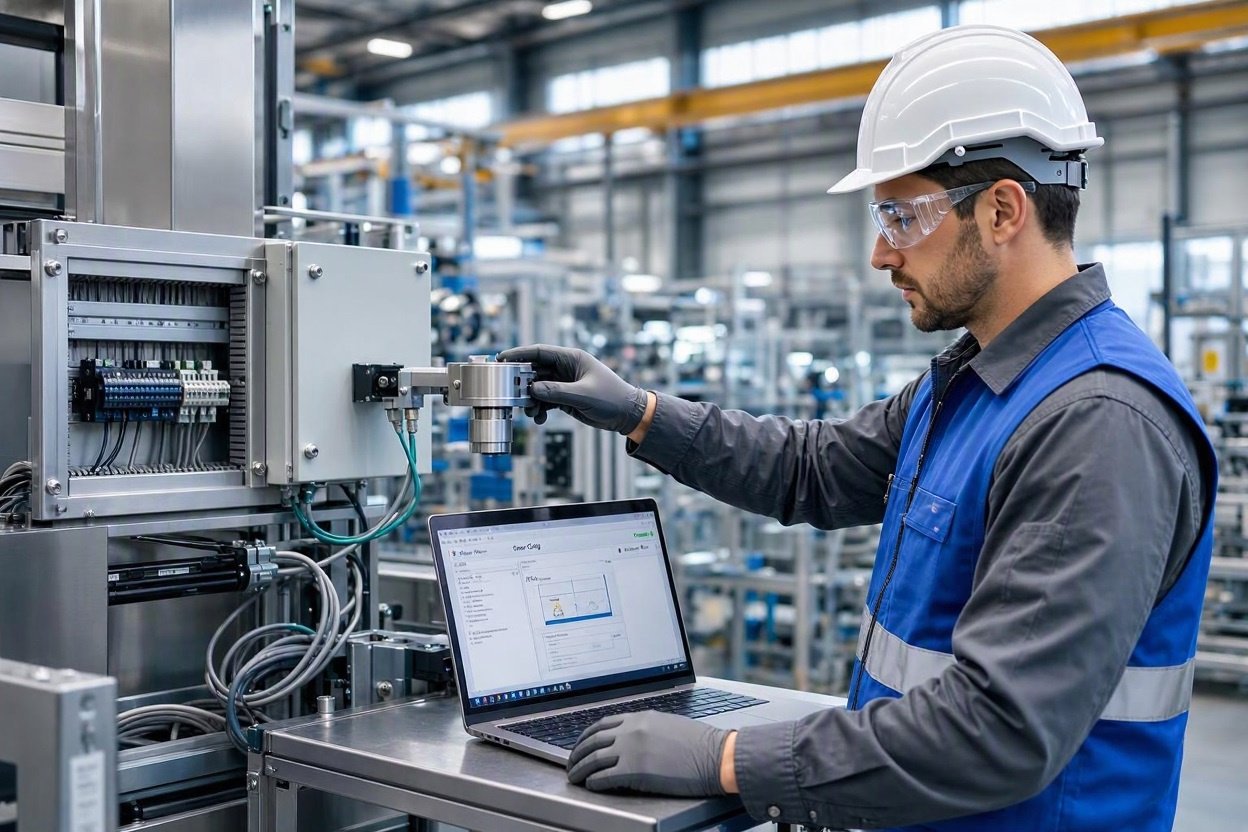
Industrial automation systems rely on sensors, controllers, communication devices, and other equipment to monitor processes and support consistent machine operation. Configuring these components correctly is an important part of installation, commissioning, maintenance, and troubleshooting.
Industrial automation configuration software helps engineers and technicians set up compatible devices, adjust operating parameters, access available diagnostic information, and prepare equipment for its intended application. The exact capabilities depend on the manufacturer, device model, and software platform.
For businesses researching an aptitude manufacturer or industrial automation supplier, it is important to distinguish between companies that manufacture hardware, companies that distribute automation products, and software providers. These categories can overlap, but they are not interchangeable.
This guide explains how industrial automation configuration software works, which features to evaluate, and how to select a suitable solution for your equipment.
What Is Industrial Automation Configuration Software?
Industrial automation configuration software is an application used to configure, program, monitor, or maintain compatible industrial devices. Depending on its purpose, the software may support sensors, IO-Link devices, wireless communication equipment, safety controllers, or other automation components.
Unlike general office software, configuration tools interact with specific hardware or industrial systems. They may provide graphical menus, parameter fields, device status information, configuration templates, or communication settings.
Typical objectives include:
- Setting device parameters for a particular application.
- Adjusting supported sensor operating settings.
- Configuring compatible industrial communication devices.
- Accessing available status and diagnostic information.
- Preparing equipment for commissioning.
- Reviewing or documenting configuration changes.
Not every platform provides all these functions. Some tools focus on one device family, while others support a broader range of compatible products.
How Does Industrial Automation Configuration Software Work?
The configuration process depends on the device and its communication interface. However, many workflows follow a similar sequence.
1. Connect to a Supported Device
The engineer first establishes a connection between the computer and the industrial device. Depending on the product, this may involve USB, an Ethernet connection, a supported serial interface, an IO-Link master, or another manufacturer-approved method.
The correct cable, adapter, driver, communication settings, and software version may be required. A physical connection alone does not guarantee that the application can recognize the device.
2. Identify the Device and Review Its Settings
After establishing communication, compatible software may identify the connected device and display available configuration options.
These settings can include detection parameters, measurement ranges, output behavior, communication options, or application-specific values. The available parameters depend on the hardware.
Engineers should review the manufacturer’s instructions before changing settings that affect machine operation.
3. Configure the Required Parameters
The engineer adjusts the settings to match the application’s requirements. For example, a compatible photoelectric sensor may need its detection behavior configured for a particular object or installation arrangement.
The software may allow the user to apply changes immediately or prepare a configuration before transferring it to the device. The exact procedure varies by platform.
4. Verify Operation and Commission the Device
Commissioning involves checking that the equipment operates as intended within the larger machine or process.
Engineers can verify available status information, test expected responses, and confirm that the configured device communicates correctly with connected equipment. Safety-related systems require the applicable validation and testing procedures; successful software configuration alone is not proof of safety compliance.
5. Document the Final Configuration
Recording the device model, software version, parameter values, and commissioning results helps maintenance teams understand how the equipment was configured.
Where supported, saved configuration files can help teams maintain consistent settings across compatible installations. Restoring a saved file should still involve checking device compatibility and validating the resulting operation.
Common Features of Industrial Automation Software
Device Setup and Parameter Management
Configuration tools may provide structured menus for adjusting supported device settings. This can make it easier to locate parameters and understand the options available for a particular model.
Before selecting a platform, confirm that it supports the exact device and the configuration functions you need.
Diagnostics and Troubleshooting
Some applications display device status, communication information, error messages, or live data. These features can help technicians investigate issues such as an unexpected sensor response or a communication problem.
Diagnostic information is useful evidence, but it does not always identify the root cause. Wiring, power supplies, environmental conditions, mechanical alignment, and other connected components may also need inspection.
Communication Configuration
Certain industrial tools help users configure communication settings or inspect data from compatible devices.
For example, Banner Engineering’s official wireless software resources describe tools for setting up supported wireless networks, viewing Modbus register data, accessing sensor data, and troubleshooting networks.
These capabilities are specific to the relevant supported products and should not be assumed to exist in every industrial configuration application.
Configuration Records and Documentation
Some workflows support saving settings, creating configuration files, or recording commissioning information. Other products may require separate documentation procedures.
Maintaining clear records helps teams compare current settings with approved configurations and investigate changes after maintenance or equipment replacement.
Benefits for Engineers and Maintenance Teams
More Consistent Device Setup
Using an appropriate manufacturer-supported configuration tool can provide a repeatable method for setting up compatible devices. Standardized procedures can reduce avoidable differences between machines or production lines.
Consistency still depends on correct procedures, suitable parameter values, and proper verification.
Easier Commissioning
When software provides clear access to the relevant settings, engineers can work through configuration tasks in an organized way.
The practical benefit depends on the device, connection method, user experience, and complexity of the application. Not every task will be faster simply because software is available.
Better Troubleshooting Workflows
Access to supported diagnostic information can help maintenance teams narrow down possible causes of equipment problems.
Rather than immediately replacing a component, technicians may be able to inspect communication status, device parameters, or available diagnostic messages first.
Improved Maintenance Documentation
Configuration records can help technicians understand the intended device setup and identify differences after a repair or replacement.
For facilities with multiple machines, maintaining organized records can also support training, change control, and future troubleshooting.
Practical Applications in Industrial Environments
Industrial automation configuration software can support several types of work, depending on the compatible hardware.
Manufacturing and Assembly Lines
Engineers may configure supported sensors used to detect objects, verify positions, or monitor movement on production lines. Correct settings depend on the sensor technology, target characteristics, installation, and operating conditions.
Packaging and Material Handling
Automation devices may help detect packages, monitor conveyor movement, or provide status information to control systems. Configuration software can assist with the setup of compatible devices used in these applications.
Process Monitoring
Supported measurement devices may require settings appropriate for the process being monitored. Technicians should confirm that the selected instrument is suitable for the measurement task and that its configuration follows the manufacturer’s specifications.
Wireless Monitoring and Industrial Data Collection
Compatible wireless devices and gateways may require network configuration or access to device data. Manufacturer-specific tools can assist with setup and troubleshooting when the relevant products are supported.
These examples describe potential uses of industrial configuration tools, not a claim that one software package supports every application.
Compatibility: What Should You Check?
Compatibility is one of the most important factors when evaluating industrial automation software.
Hardware and Device Model
Confirm the exact product series, model number, and supported firmware or hardware revisions. A tool designed for one sensor family may not work with another device from the same manufacturer.
Operating System and Software Requirements
Check the vendor’s installation instructions for supported operating systems, system requirements, permissions, drivers, and required dependencies.
Do not assume that a tool supports every version of Windows, macOS, or Linux simply because it runs on a computer.
Communication Interface and Protocol
Identify the interface required by the software and hardware. Examples include USB, Ethernet, serial communication, IO-Link, and Modbus, depending on the product.
These technologies are not interchangeable. Confirm that the specific device, interface, and software support the intended connection and data exchange.
Licensing, Updates, and Support
Determine whether the software is free, licensed, subscription-based, or bundled with the equipment. Review the availability of updates, documentation, technical support, and compatibility information.
Using a current version is not automatically the correct choice for every legacy installation. Follow the manufacturer’s recommendations for the connected device.
How to Choose the Right Configuration Software
Before downloading or purchasing a platform, evaluate the following criteria.
1. Define the application. Identify the device you need to configure and the task you want to complete.
2. Verify official hardware support. Check the manufacturer’s supported-product list rather than relying only on a software description or third-party recommendation.
3. Review the required functions. Decide whether you need basic parameter adjustment, diagnostics, communication setup, configuration storage, or a more specialized programming environment.
4. Check installation and connectivity requirements. Confirm the supported operating system, required cables or adapters, communication interfaces, and network access.
5. Evaluate documentation and training. Look for manuals, setup instructions, configuration examples, and relevant technical support.
6. Consider cybersecurity and access controls. Obtain software from a trusted source, follow your organization’s installation policies, and apply appropriate controls when connecting engineering computers to operational technology networks.
7. Plan testing and change management. Establish a process for recording changes, validating device behavior, and restoring approved settings where supported.
The best platform is the one that meets the technical requirements of the actual equipment and application—not necessarily the one with the longest feature list.
Safety, Training, and Documentation Considerations
Industrial configuration changes can affect machine behavior, process quality, and equipment availability. Incorrect parameters may cause missed detections, unexpected outputs, or unreliable measurements.
Before making changes, review the relevant manual, follow site procedures, and obtain the required authorization. Use appropriate isolation and lockout procedures when the task or equipment requires them.
For safety-related equipment, follow the manufacturer’s instructions and applicable safety standards. Do not treat ordinary configuration software as a substitute for a validated safety design or formal safety testing.
Teams should also maintain suitable records of software versions, device configurations, authorized changes, and commissioning results. Training should cover the actual products and tasks employees are expected to handle.
Manufacturer-Specific Software: An Example
Banner Engineering provides an example of how an industrial automation manufacturer can offer software for supported products. Its official software directory lists categories including sensor software, machine safety software, Snap Signal Configuration Software, IO-Link Configuration Software, wireless software resources, and other tools.
Its IO-Link Configuration Software is described as supporting configuration of compatible Banner IO-Link masters and devices. The manufacturer lists specific compatible master models, illustrating why users should verify device-level compatibility before downloading a tool.
These offerings belong to Banner Engineering. They should not be described as products of an unrelated aptitude manufacturer or as universal software for all industrial equipment.
For a particular application, start with the hardware manufacturer’s official software directory, identify the exact device model, and follow the associated documentation.
Final Thoughts
Industrial automation configuration software helps engineers and maintenance teams set up supported devices, review available data, and complete important commissioning and troubleshooting tasks.
Choosing a suitable solution requires more than comparing feature lists. Device compatibility, communication interfaces, operating-system requirements, documentation, security, and safe change management all matter.
If you are researching an aptitude manufacturer, first verify the exact company or product you mean. The available evidence identifies Aptitude Automation and Control as an industrial automation product supplier, but it does not establish that the company offers the specific configuration software discussed here.
For accurate technical decisions, use official manufacturer documentation and confirm the software’s compatibility with your equipment before installation or configuration.
Frequently Asked Questions
What is industrial automation configuration software?
It is software used to configure, program, or inspect compatible industrial devices. Its functions vary by product and may include parameter settings, diagnostics, communication configuration, and commissioning support.
Is industrial automation configuration software compatible with every sensor?
No. Compatibility depends on the software, device model, communication interface, firmware, and other manufacturer-defined requirements. Check the official compatibility documentation before use.
What is the difference between configuration software and PLC programming software?
Configuration software typically adjusts settings on a supported device or component. PLC programming software is used to develop or modify programmable logic controller programs. Some engineering environments offer both types of functions, but they are not equivalent.
Can configuration software help troubleshoot industrial equipment?
Yes, when the application provides relevant diagnostic information or access to device data. However, troubleshooting may also require checking wiring, power, installation, mechanical conditions, and connected systems.
What is IO-Link configuration software?
It is software used to configure compatible IO-Link devices and masters. Available functions depend on the manufacturer, device, and software version. Verify supported products before selecting a tool.
Is Banner Engineering an aptitude manufacturer?
The available sources do not establish that relationship. Banner Engineering is a separate industrial automation company with its own product and software offerings. Aptitude Automation and Control is listed as an industrial automation product supplier; do not assume the two businesses are affiliated.
How can I find the correct software for an industrial sensor?
Identify the sensor’s manufacturer and complete model number, visit the official product or software page, and review the supported-device list, installation requirements, and manual. Contact the manufacturer if compatibility remains unclear.
Is industrial automation configuration software free?
Some tools are available at no additional cost, while others may require licensing or specific hardware. Check the official product page for current pricing, licensing terms, and download conditions.




Post Comment